They say that nothing in life is free – not even the free stuff. This is why certain entities require paid solutions that give them on-demand access to compute, exchange, and store data and information. These paid services have become a part of people’s daily lives and have kept evolving over the last few years.
Consumer electronics – personal computers, tablet devices, HDTVs – name it; there are tons of paid services made available to make these gadgets more useful and enjoyable. Mobile phones, especially, have become a lucrative outlet for solutions providers to deliver their services. The hundreds of smartphone apps hosted solutions providers is enough evidence to prove that even the mobile phone industry has been affected by this boom.
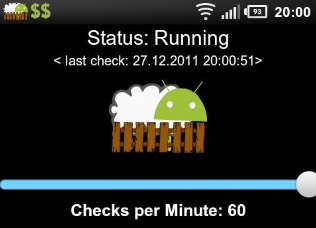
Since i was busy, so couldn’t write about Andreas Koch‘s new app called ‘DroidSheep Guard’ that helps you protect against DroidSheep and FaceNiff android application.
How DroidSheep Guard works?
DroidSheep Guard continuously monitor your ARP table and alerts you when it finds suspicious activity.Droidsheep and faceniff are popular android applications that use ARP spoofing technique to hijack all sessions traveling on Wifi networks. Using DroidSheep Guard you can configure it to check every x minute and once it found malicious activity, it will popup an alert.
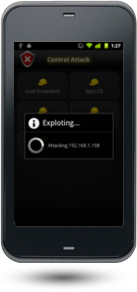
ANTI – Android Network Toolkit – Anti is collection of network exploration tools that help you penetrate your network right away from your android phone. ANTI useful application is developed by ZImperium LTD and they say ‘ ANTI – Penetration Made easy ‘.
ANTI.apk application is divided into two parts;
Application
Extendable plugins
How to install ANTI APK on android phone?
I’m not sure APK is available on Android Market but you can follow below tutorial to get it installed.
DriodSheep is awesome Session Hijacking Android app that can be use to hijack Wifi Sessions. Currently It support Open and WEP Encrypted networks that includes WPA and WPA2 networks (PSK)
According to the author, all websites are vulnerable that includes Google.com, facebook.com. BTW we have tested it with Facebook 🙂
How DroidSheep works?
DroidSheep uses ARPSpoofing techniques for normal networks while DNSSpoofing is use for WPA & WPA2 encrypted networks.
What are the requirements to run DroidSheep on Android phones?
You have to make sure the following checklist that we have tested on our SamSung Galaxy S phone with Andriod 2.3.4 🙂
libpcap
arpspoof – It can be install using Android Market
Your phone Must Be ROOTED in order to use this application.
and yes.. DroidSheep.
How to install DroidSheep ?
DroidSheep is removed from Android Market so you have to follow the tutorial in order to get it install on your Android phone.
On Android phone
Open your Internet browser.
Download using URL http://static.hackersgarage.com/droidsheep-current.apk Due to large complains, it is removed. Download from here
Launch DroidSheep Application. It should popup for Super privileges, allow it.
For detail tutorial, see DroidSheep Video Tutorial below:
Update 17/03/2012 :
I heard from the community in emails that Andreas Koch removed the application from his server due to the German Law and this tool was identified as Hacking-tool.
I have hosted this application on my server and it can be download under GPL as Andreas Koch written in license log. And yes, I do not be held responsible for any damage or misuse of this tool. This is shared with intention for the Research and Students encouragement in Information Security field.
If you have any objection or complain, please report me.
Update 21/03/2012 :
Thank you all for appreciations in emails.
Since i host this application on my server, thousands of concurrent downloads of droidsheep-current.apk are processed and it is increasing now. I appreciate if you consider Retweet this post or share it on facebook 🙂 This will help us to broaden our community.
Update 26/11/2012 :
Droidsheep-current.apk is removed from our server because of many complains received by our hosting service provider. But you can still request us via request form, we can send you on email.
Since we believe this is educational purpose app and expect everyone to comply with that.
Android is a very Free Mobile Operating System from Google. Now a days it comes built-in with all smartphones. Android is a good competitor of IPhone from Apple.
Android growth is too fast but on the other hand cyber criminals are targeting it with equal pace 😀
AVG Mobilation Pro Antivirus
AVG antivirus provide some great features that includes malware, virus protection and also provide a feature for privacy protection if you lost your phone it provides remote lock feature to disable your phone and also suggest tips to close those applications which slowdown your phone performance.
Download AVG Mobilation Pro Antivirus
Chip.de is offering Free full version copies of AVG Mobilation Pro Antivirus.
Today I was installing Android SDK on Linux behind authentication proxy server. I tried different settings but there was no way to put user,password in proxy settings. In the end finally I found a workaround to install Squid Proxy on my LinuxMint 11 (Ubuntu based distro) and set proxy to local and it worked enormous!